

Step 1: Visit the AvertITD homepage and click on the top right Login button.
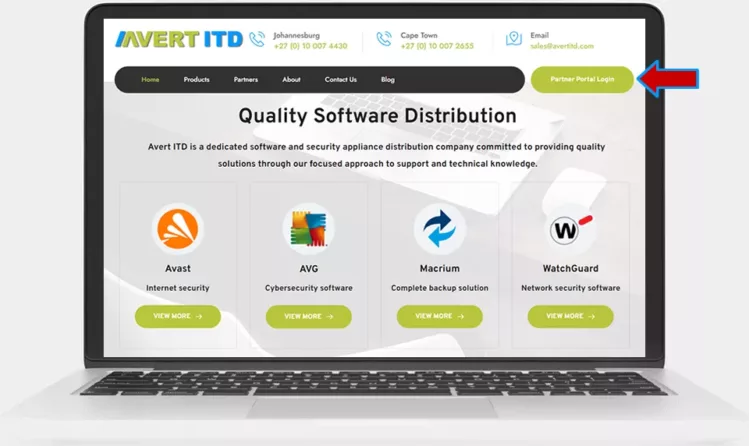
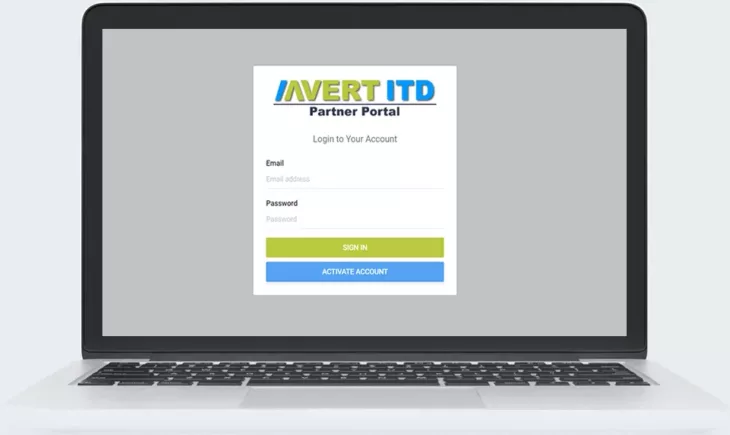
Step 2: You will be taken to the Partner Portal login page.
Step 3: Enter your login details and click on the login button.
Step 1: Visit the AvertITD homepage and click on the top right Login button.

Step 2: You will be taken to the Partner Portal login page.
Step 3: Click on the Activate account button
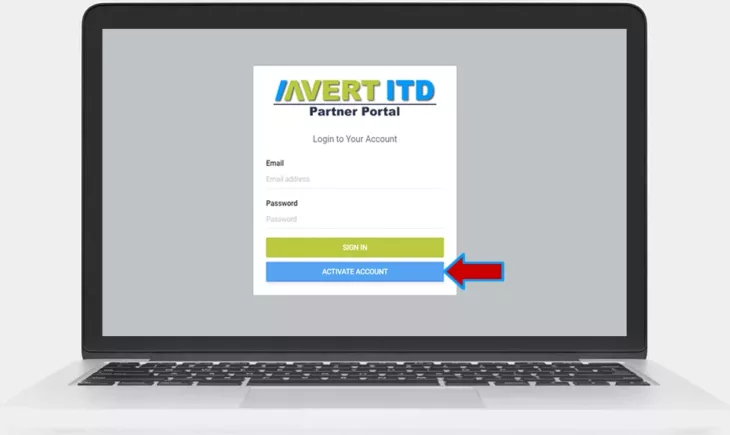
Step 4: Enter your email address, if your account has been loaded on the portal you can now reset your password

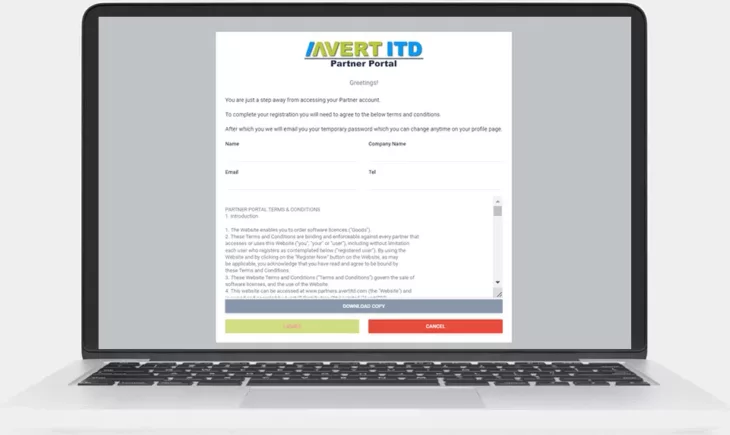
Step 5: If your email has not been loaded, click on the register button below.
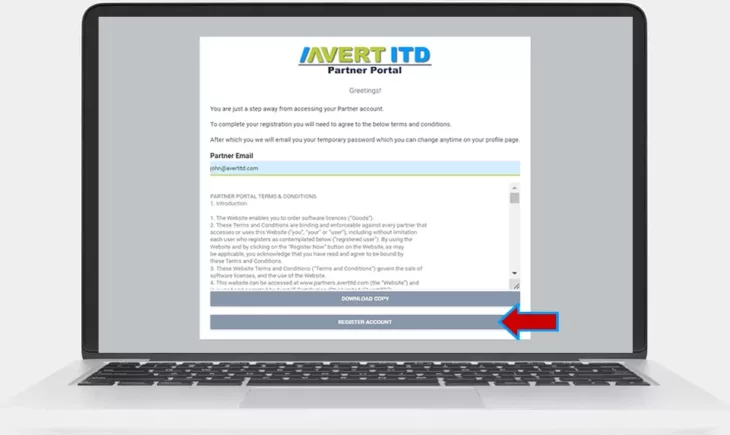
Step 6: Complete the form and click agree.
Step 7: Your account will be verified and a password creation link will be emailed to you.
Johannesburg
Cape Town
© Copyright 2024. All Rights Reserved

Get Your Exclusive AnyDesk Ultimate Quote
Receive pricing tailored to your team size and requirements.
Get Your Exclusive AnyDesk Advanced Quote
Receive pricing tailored to your team size and requirements.
Get Your Exclusive AnyDesk Standard Quote
Receive pricing tailored to your team size and requirements.
Get Your Exclusive AnyDesk Solo Quote
Receive pricing tailored to your team size and requirements.